科技永遠不會停滯不前,我們也一樣
經過驗證的 Mini-ITX 平台,專為工業、邊緣和嵌入式系統環境的可靠部署而設計。
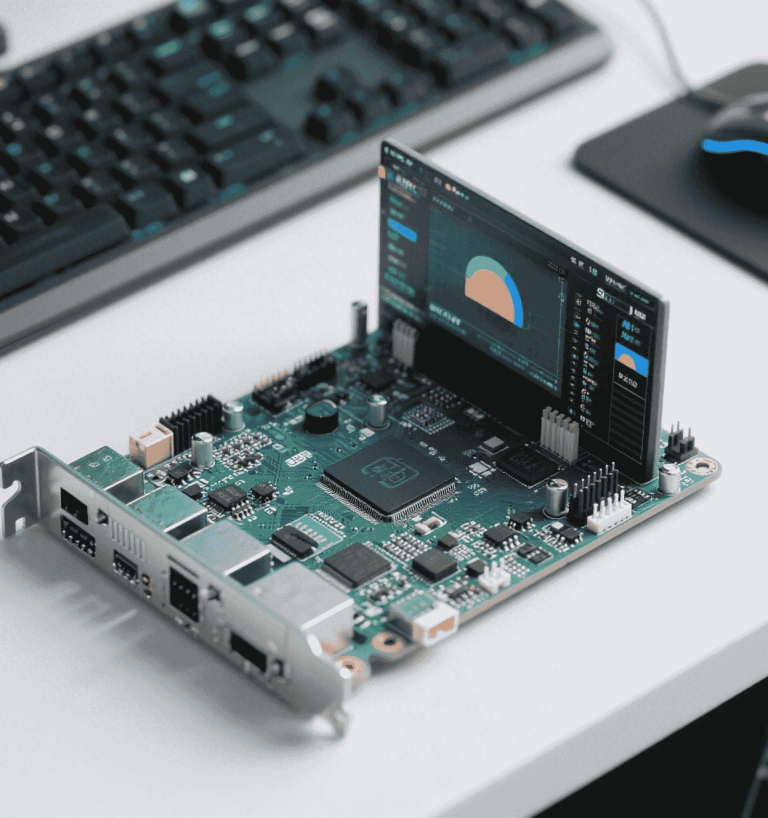
對於建置精簡、安靜且彈性高系統的工程師而言,Intel Celeron N150 仍是實用的基準。它在成本控制、低功耗運作,以及面板電腦、Kiosk、精簡型客戶端和輕型自動化所需的「足夠好」的運算能力之間,處於交匯點。雖然以 2025 年的標準來看,它並非全新的 SoC,但其成熟度、廣泛的作業系統支援,以及直接的板卡整合,仍使其適用於長期部署和服務合約。.
N150 是 Braswell 時代的代表,是現代 Alder Lake-N 設計的先驅,例如 N100/N200。實際上,它提供了可預測的行為、穩定的驅動程式以及保守的熱封套。在不強制要求最先進效能的情況下,N150 跨供應商和工具鏈的熟悉性可降低專案風險,並加快認證時程。.
SoC 的優勢適用於固定功能和輕度互動工作負載:具備 1080p 播放功能的數位看板、以瀏覽器為基礎的 POS、終端服務和 Kiosk UI。它也能支援醫療推車或測試夾具,在這些應用中,確定性、長運行時間和備件可用性比原始吞吐量更重要。.
N150 等級植根於 Intel 的 14 nm Braswell 產品線。您可獲得一個精巧的 SoC,內含 CPU 核心、GPU、記憶體控制器和平台 I/O 晶片。目標很簡單:縮小電路板面積並減少元件數量,以簡化 Mini-ITX 與嵌入式設計。.
在典型的實作中,N150 提供兩個節能的 CPU 核心,搭配適度的快取記憶體和保守的突發行為。這對於安裝在機櫃、Kiosk 和無風扇機箱內的系統非常有用。.
整合降低了電路板的複雜性:無需外部 PCH、電源軌數較少、需要路由的高速連線較少。更簡單的堆疊等同於更容易的 EMI 管理和更短的升級週期,尤其是在 4 層 PCB 上。.
| 設計元素 | 分立式 PC 平台 | N150 級 SoC 平台 |
|---|---|---|
| 晶片組 | 外部 PCH + 散熱片 | 整合式晶片上 |
| 板層 | 一般為 6-8 層 | 4 層可行 |
| 動力軌道 | 多重 VRM | 更少的軌道、更簡單的 VRM |
| EMI/Compliance | 更多高速連結 | 更少的侵略者需要馴服 |
銘牌上的 TDP 只說明部分情況。在機櫃或被動式機箱中,電源供應器的效率、VRM 的損耗,以及儲存設備的選擇,都會主宰您在牆上量測到的實際功率數字。.
許多現場建置在連接一個 NVMe 或 SATA SSD 時,閒置功率約為 10-14 W。若增加收音機、感測器或 USB 集線器,閒置功率可能會逐漸上升。這對於 24/7 節點來說是可以接受的,但必須列入散熱預算。.
At sub-20 W, PSU selection is critical. A compact SFX-Gold may run below its sweet spot and waste power. A quality DC brick + DC-DC board (PicoPSU-class) often outperforms ATX units at these loads—provided inrush and transient behavior are handled.
| Average Power | kWh/year | € at €0.25/kWh | 注意事項 |
|---|---|---|---|
| 10 W | 87.6 | €21.9 | Fanless kiosk, NVMe |
| 15 W | 131.4 | €32.9 | +Wi-Fi & 2× USB |
| 20 W | 175.2 | €43.8 | +2.5″ HDD or LTE modem |
You are trading top-end performance for predictable thermals and longevity. The question is not “Can it beat a modern E-core?” but “Does it meet the workload envelope with comfortable headroom?”
Against modern N100 (Alder Lake-N), N150 sits behind in IPC, clocks, and media blocks. If you can source N100 at similar cost, it is almost always the more efficient choice. If your program has legacy dependencies or qualification tied to N150-era platforms, the calculus changes.
Rule of thumb: if your steady-state utilization exceeds ~60% on N150 during validation, you are under-provisioned. Move up a tier (N100/N200) or slim the workload.
The integrated GPU (Gen8 HD Graphics class in typical N150 designs) handles basic decode and display. It supports practical signage and HTPC-lite roles but is not a dedicated media engine by modern standards.
Expect hardware acceleration for H.264 and HEVC decode at 1080p. Software paths can supplement where codecs aren’t fully offloaded, but this increases CPU load and heat.
Advanced HDR stacks and 3D formats aren’t target features. If HDR-critical, select a newer SoC or a discrete media device.
With lightweight skins and proper VAAPI configuration, 1080p playback is smooth. 4K decode is not recommended; downscale at the source or transcode upstream.
Memory bandwidth and storage thermals dominate perceived responsiveness in kiosk and thin-client flows. Get these right and the system “feels faster” without changing the CPU.
Dual-channel is preferred when available, but many boards wire single-channel for cost/space. Use the highest validated frequency, and favor low-latency SODIMMs for small wins that add up.
For storage appliances requiring end-to-end data integrity (e.g., ZFS with scrub targets), migrate to platforms with ECC UDIMM support. For signage and kiosk profiles, non-ECC is acceptable with good QA.
| Storage Option | 優點 | 優點 | Recommendation |
|---|---|---|---|
| eMMC | Low power, soldered, shock-resistant | Lower endurance, slower | Good for kiosk OS images |
| 2.5″ SATA 固態硬碟 | Cooler, predictable, easy to service | Cabling, space | Great for signage & thin clients |
| NVMe (PCIe x2/x4) | Fast, compact | Can run hot in fanless chassis | Use with heatsink, throttle aware |
N150-class boards expose the essentials for embedded: USB, GPIO/UART, and panel display links (LVDS/eDP). The intent is stable device bring-up rather than exotic expandability.
USB 3.0 handles cameras, barcode readers, and hubs. GPIO/UART/SDIO support control planes for button pads, card readers, or small radios. Validate EMI with shielded cables in noisy bays.
Many embedded ITX boards include LVDS/eDP headers for direct-drive panels. Follow panel vendor signal and power sequencing precisely; add ESD protection on long runs.
If you need multiple high-lane PCIe devices, move to newer platforms; N150 designs rarely offer robust PCIe expandability without trade-offs.
The best results come from matching the workload to the SoC’s strengths: predictable 2D UI, steady decode, and low-duty networking.
As an always-on controller (Home Assistant, small MQTT broker, signage scheduler), N150 is stable and quiet. Limit background container churn; prefer long-running lightweight services.
Many mini-PCs reuse similar chassis thermal designs. Always test under warm ambient with case closed for an hour; log CPU, SSD, and VRM temps before field deployment.
Firmware choices shape idle draw and longevity. Set conservative boost behavior, predictable fans (if any), and aggressive sleep states.
Keep PL1 near nominal thermal capacity and limit PL2 burst duration to avoid heat soak in passive housings. Validate under worst-case ambient.
Most N150 boards boot cleanly with modern kernels (Ubuntu LTS, Debian). For kiosk OS, disable unused buses (e.g., unused SATA) and fast-fail missing devices to shave seconds off boot.
N150 delivers when the job is constant, light, and reliability-first. For new designs with higher graphics needs or tighter energy targets, consider N100/N200/N305 or ARM alternatives—but keep N150 in mind for sustaining projects and drop-in replacements.
Confirm vendor BIOS maintenance windows. Maintain your own driver mirror and image rebuild process to mitigate upstream attrition.